
Overview
- Vector
- Series of multiple values of the same type in one dimension
- List
- Series of multiple values of different types in one dimension
- Lists can be nested within one another
- Matrix
- Rectangular array of the same data type
- If the values are numbers, you can perform mathematical operations on each value
- Data Frame
- Data created by combining multiple vectors so that each vector becomes a column
- Each column can have a different data type
Vectors
- Vectors are the most basic element in R
- All other elements are made up of vectors

Matrices
Creating a Matrix
- Create a vector:

- Turn the vector into a matrix:

- Optionally, you can add row and column labels:

Setting Matrix Dimensions
- The number of data points and the number of rows/columns determines the dimensions
- In the code above, nrow = 3 is specified
- Since there are only 6 data points, this by default means that there can only be 2 columns
- If we had specified ncol = 3 in the same code, there would be only 2 rows by default
byrow Option
- The default for matrix() is byrow = FALSE the first column will be filled, then the second column will be filled, etc. as shown above
- If byrow = TRUE the first row will be filled, then the second row will be filled, etc.
- The same matrix with byrow=TRUE specified is shown below

Matrices and Mathematical Operations

- When a matrix is all numeric, you can perform mathematical operations with all values
- If we want to purchase three of each fruit and want the total price, we can multiply each value by 3
Data Frames
- A data frame is similar to a matrix except each column can be of a different type
- Data frames are typically like data sets you would see in an Excel sheet
- Every column is a variable
- Remember: User $ to refer to a specific variable/column within a data frame
- Example: rainfall.df$city
Using matrix() to Create a Data Frame
- Can use the matrix() and data.frame() functions to create a data frame
- First, create a matrix with your desired format
- Then put this code into the data.frame() function

Lists
Simple Lists
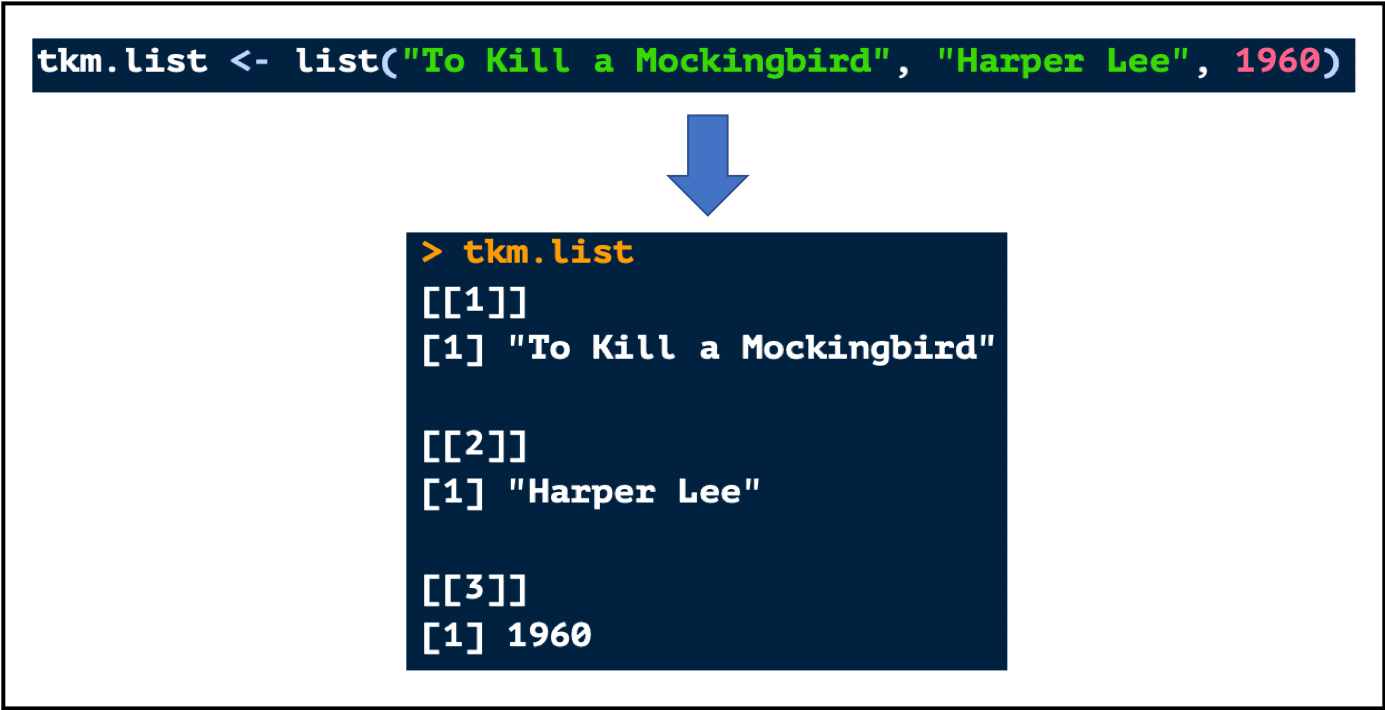
- Create a list with the list() function
- Remember:
- Lists can have multiple data types
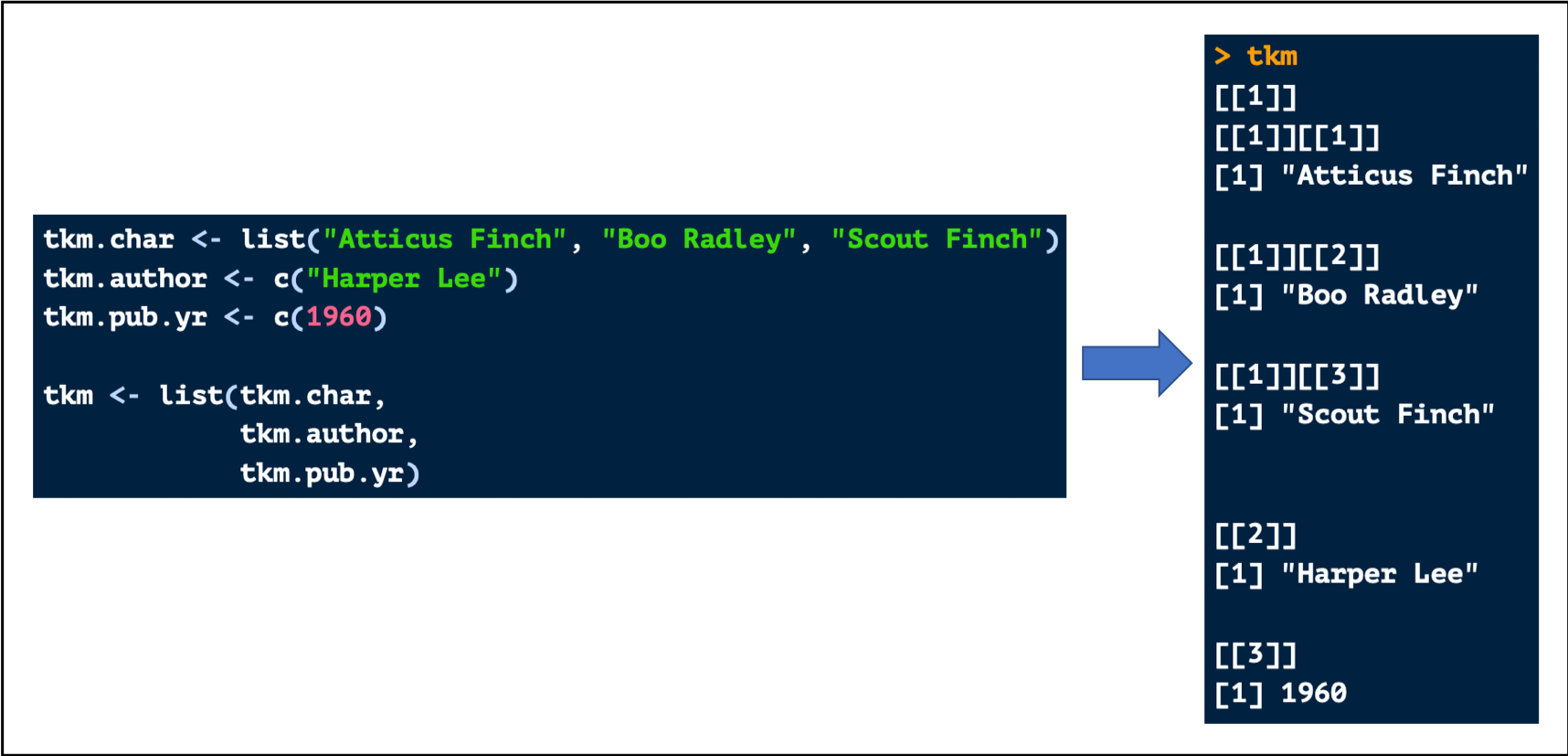
- Lists can be nested, meaning one list can be placed inside another list
- Below is a simple example of a list:
Nested Lists
- Below shows how to create a nested list (a list within a list):
 Kelsey Emnett, Data Scientist