
Installing Base R
Step 1:
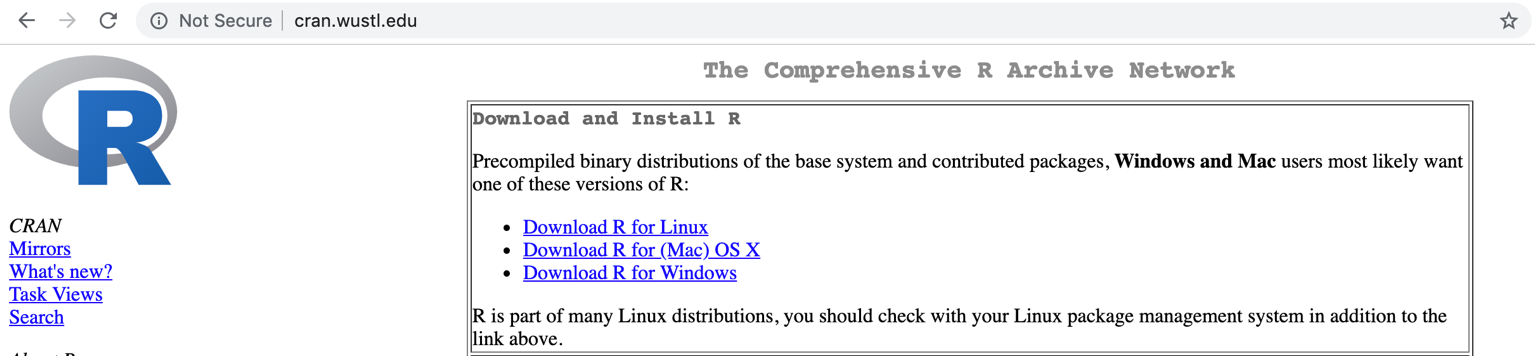
- Go to this link: http://cran.wustl.edu.
- With the above CRAN you can set up base R with on file. It is easy and straightforward.
- Choose “Download R” link for your operating system
Step 2 (for Macs only):
- Click R-latest.pkg link towards the bottom of the screen

Step 2 (for PCs only):
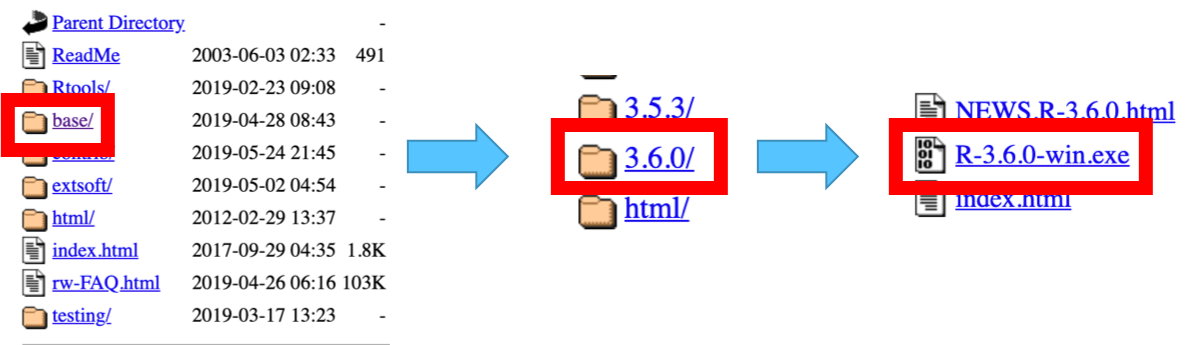
- Click “base/” button
- Click “old/”
- Click “3.6.0/”
- Click “R-3.6.0-win.exe”
Step 3:
- Let the download finish
- Open file
- Follow the on-screen instructions
Installing RStudio
- Go to this link: https://www.rstudio.com/products/rstudio/download/
- For the desktop version, click the download button for “RStudio Desktop”
- For the cloud version, click the download button for “RStudio Server”
- Choose your operating system
- Let the file download, open it, and follow the on-screen instructions
 Kelsey Emnett, Data Scientist